Features
Everything ConveyLoop does, in detail
From writing and publishing to measuring and weekly testing. Every feature is included on every plan.
Runs: from your site to published content
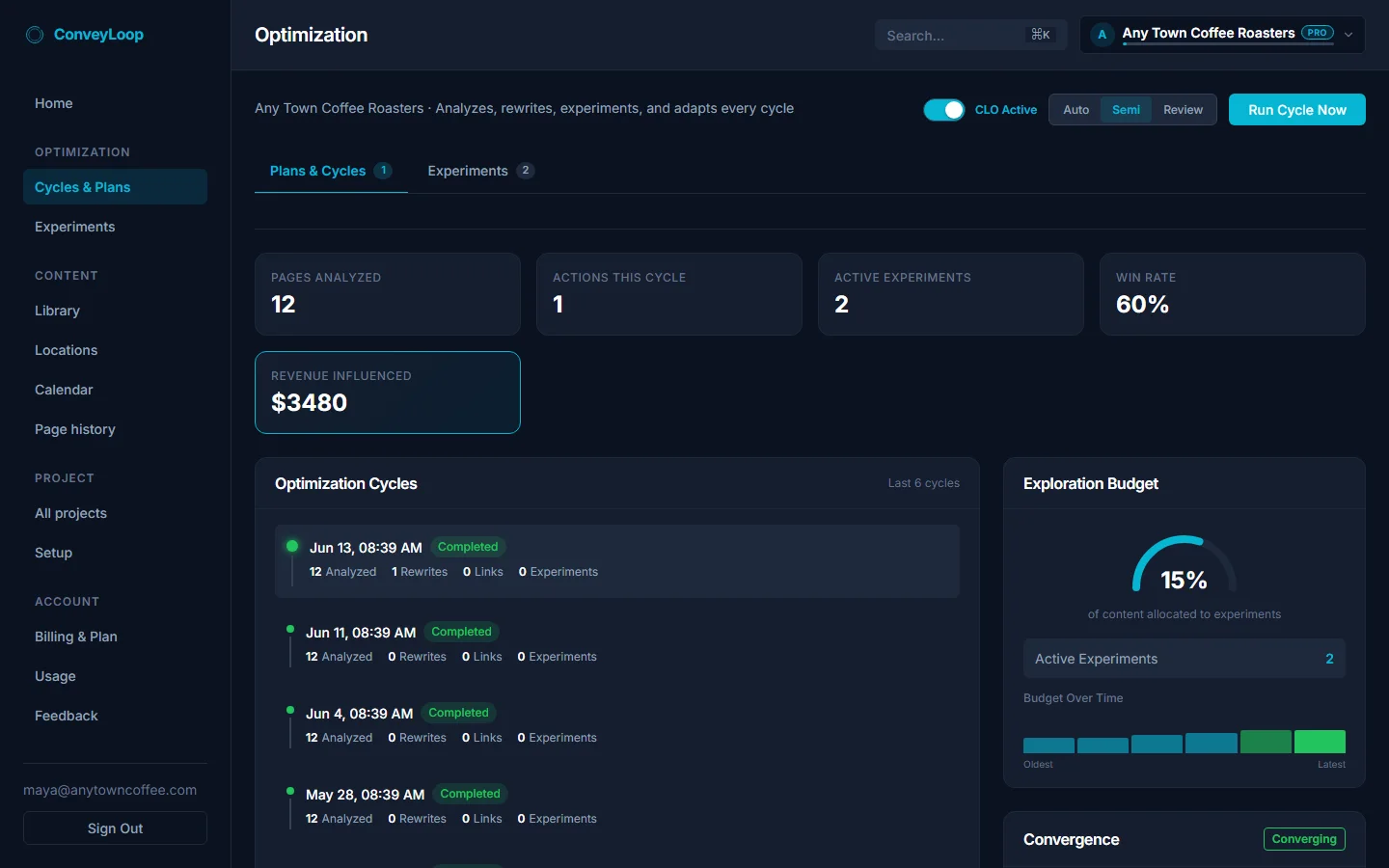
A run is one batch of new content. ConveyLoop picks the searches to target from what it learns about your site, then works through seven steps: read your site, write SEO pages, publish them, write social posts, make supporting video, schedule what’s ready, and wrap up. It estimates the cost before it starts, and your plan’s monthly pages and posts are spread across your runs.
- Seven steps in order: read the site → write pages → publish → write posts → make video → schedule → wrap up
- A cost estimate before anything is spent, so you stay within your allowance
- Preview content before publishing
- Publish to WordPress or your Git repo with one click
- Each run’s output and results tracked in one place
Solo founders skip content production entirely. Small teams skip the back-and-forth.
Example data from a demo account.
SEO pages that add up over time
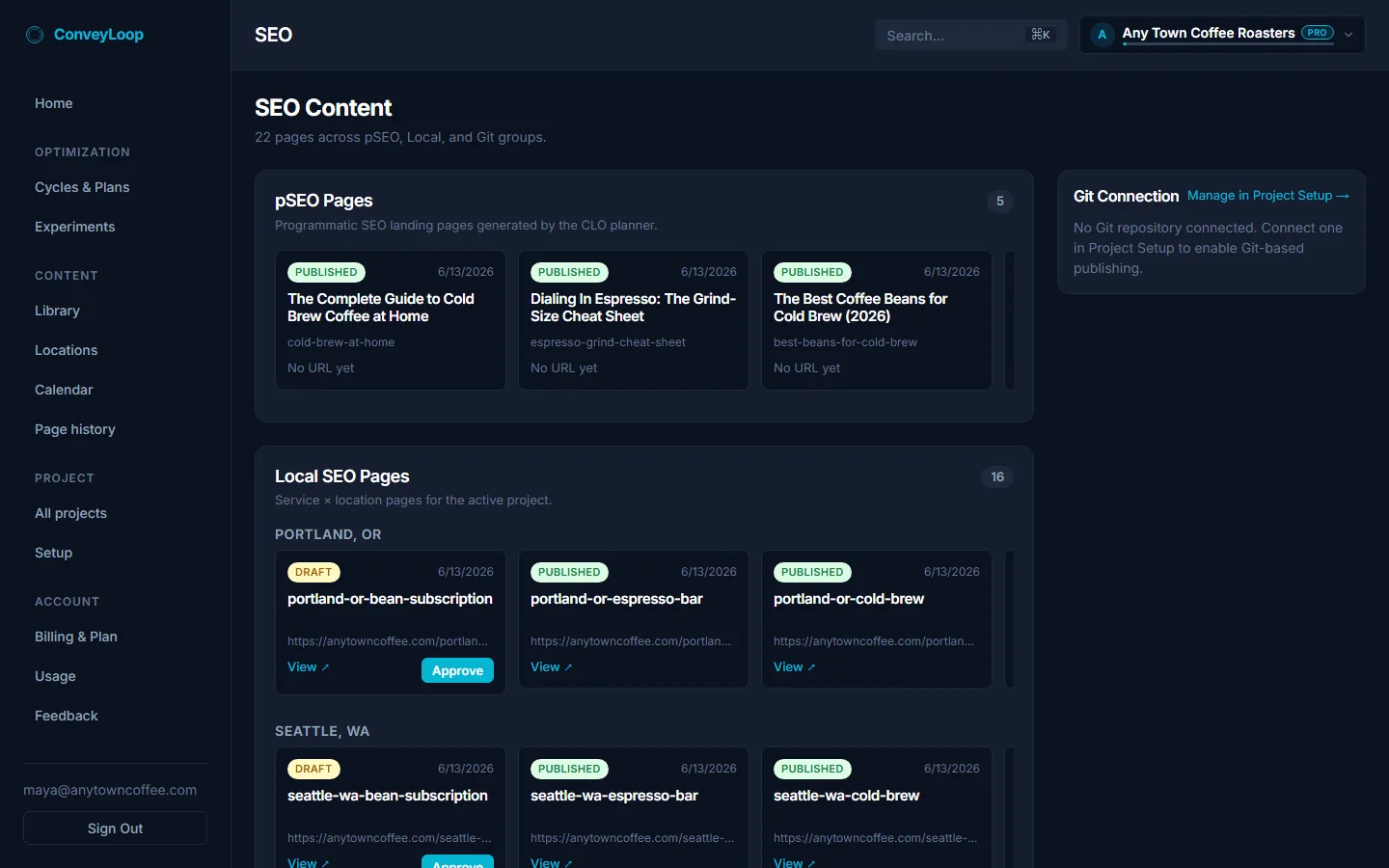
Programmatic SEO means landing pages for the specific searches your customers make, such as a service in a city or an answer to a common question. ConveyLoop writes them each month up to your plan’s page allowance, with titles, descriptions, FAQs, structured data and links between related pages. Before a page is saved it’s compared with your existing pages, so it doesn’t repeat one. Pages stay up and build on each other month after month; a page that never gets any traffic can be retired by the weekly review.
- Pages with FAQ sections and structured data (JSON-LD) for search engines
- Related pages link to each other in hub-and-spoke clusters
- A duplicate check against your existing pages, by meaning as well as wording
- Full page version history with side-by-side diffs and one-click rollback
- Publish pages to WordPress or your Git repo
A small business can cover the searches its customers make without hiring a writer. On Growth, that’s up to 25 new pages a month.
Example data from a demo account.
Publish SEO pages straight to your Git repository
Connect a GitHub, GitLab or Bitbucket repo and ConveyLoop commits SEO pages into their own folder in it. ConveyLoop writes only inside that folder, refuses any commit that would touch a file outside it, and never reads your application code. Each commit goes through the deploy pipeline you already have (Vercel, Netlify, Cloudflare Pages, Render, or any host that builds from your repo), and optional deploy hooks can start a Netlify or Cloudflare rebuild right away.
- Connects to GitHub.com, GitLab.com or Bitbucket Cloud (self-hosted editions are not supported yet)
- Pages live in their own folder, separate from your code
- Direct commit or pull request — your choice of workflow
- Deploys through your existing pipeline (Vercel, Netlify, Cloudflare Pages, Render & more)
- Optional deploy hooks for instant Netlify and Cloudflare rebuilds
- A record of what it wrote, so it commits only what changed and removes only its own files
Teams with a code-built site get SEO pages in their repo without giving up control of it. Trust & Security explains how the folder is kept separate.
Every page and post in one searchable place
Every SEO page, local page and social post ConveyLoop produces lands in one Content Library. Search it by keyword or by meaning, then filter by type, status, channel, or whether it’s part of a test right now.
- Search by keyword and by meaning across all content
- Filter by type (SEO, local, Git, social), status and channel
- Filter to content that’s part of a test
- Everything the engine has made for a project, in one place
No more hunting across tools: everything is one search away.
On-brand images and videos, made with AI
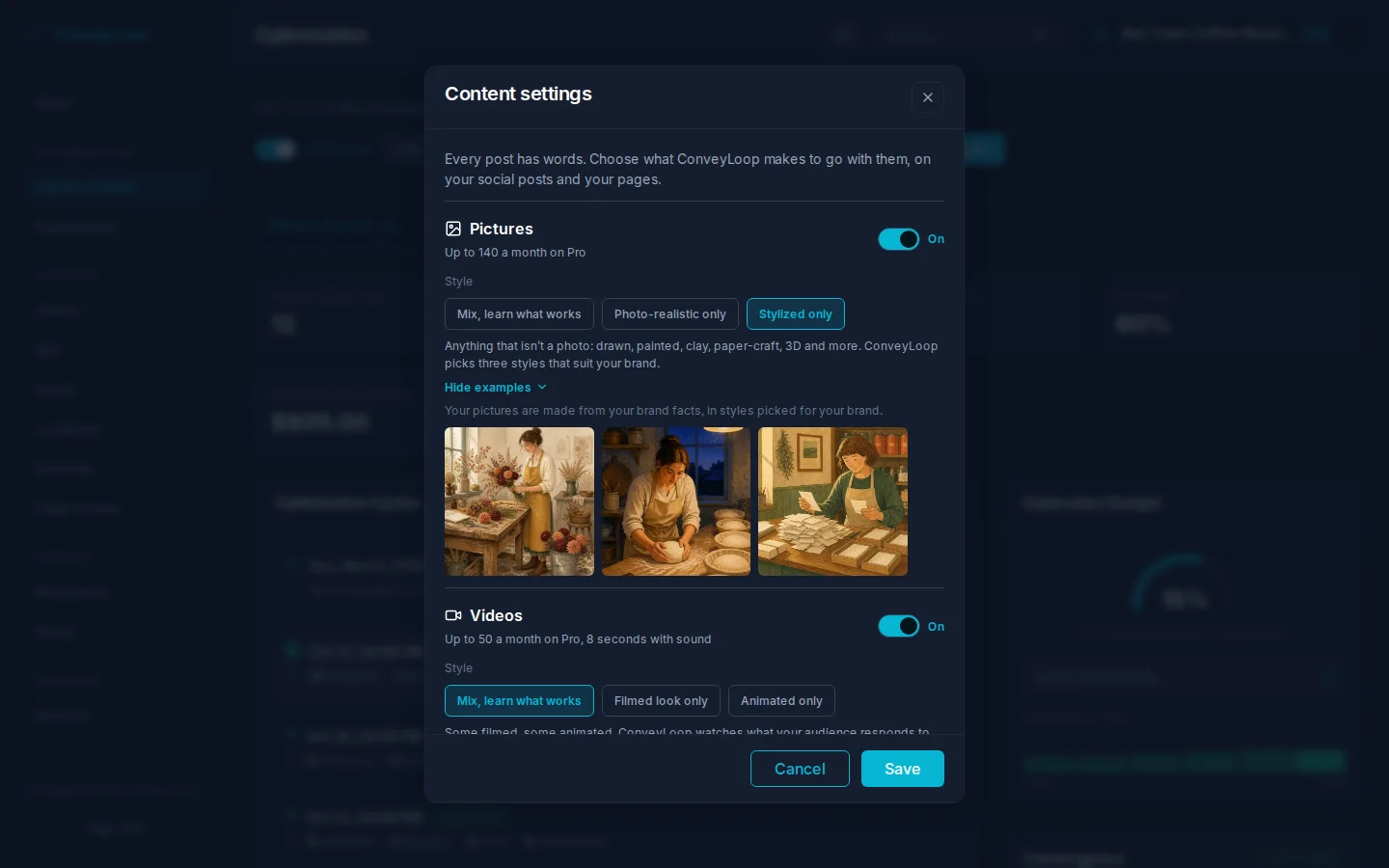
ConveyLoop makes images and short videos to go with your pages and posts. You choose the look: photo-realistic, stylized (drawn, painted, clay, paper-craft and more), or a mix ConveyLoop tunes to what your audience responds to. Either can be switched off. Your brand facts, voice and guardrails shape every brief, and if you upload your logo, it closes each video. Images and video are made with Google and OpenAI models. Before anything is generated, a policy check screens for adult content, personal data and impersonation; copyright and trademark need your confirmation that you hold the rights. Social posts that carry AI media are labelled as AI-generated.
- Choose the look: photo-realistic, stylized, or a mix it learns from
- Three house styles for each look, picked to suit your brand
- AI videos: explainers and social shorts
- Switch pictures or video off at any time; posts keep their words
- Your brand voice and guardrails applied to every image and video brief
- A policy check before anything is generated
- The cost in generation units shown before you generate
Solo creators get images and video without a designer or video editor.
Example data from a demo account.
A page for every place you serve
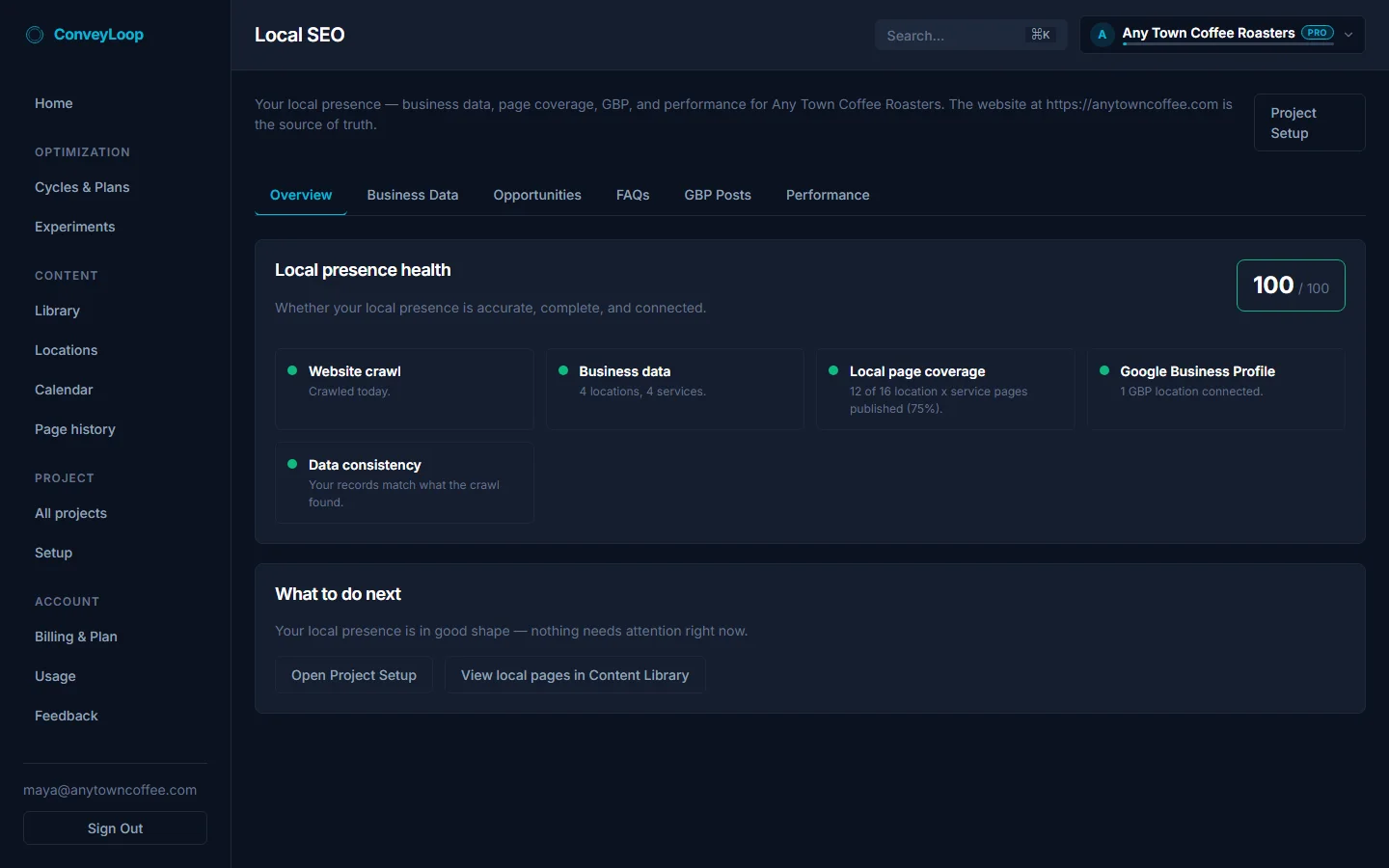
ConveyLoop writes a landing page for each service in each place you work, with real local details, LocalBusiness structured data, FAQs and links between related pages. A weekly local review tracks how each location and service is doing and suggests what to do next. For Google Business Profile, ConveyLoop drafts weekly posts for each location for you to copy into Google; automatic publishing is launching soon.
- Landing pages for every service × location combination
- FAQs written for each location
- LocalBusiness, Service and FAQPage structured data on every page
- Performance for each location and service, with recommendations
- Weekly Google Business Profile post drafts (What’s New, Offer, Event)
Small businesses with several locations keep local pages current without adding staff.
Example data from a demo account.
A weekly review of everything that’s live
Every Monday the engine scores each page and post on how it’s doing (clicks and conversions, and revenue where you track it), plans changes for the ones falling behind, tests them, and keeps the changes that win. You choose how much of that needs your approval.
- Scores for pages and posts that count revenue when you track it
- Tests for pages (a new title, description and FAQs together, or new sections) and for social (a new hook or tone)
- The Experiments page: win rate, lift, confidence and an overall trend, in plain language
- A testing budget that grows when tests keep winning and shrinks when they don’t
- Safety limits: enough data before any decision, losing tests stopped, limits on how much a test can add to a page
- Three approval modes: Auto, Semi and Review
Set how much control you want and let it find what works. Every test is visible on the Experiments page.
Your metrics, measured by ConveyLoop — privately
ConveyLoop measures your pages with a small first-party script: no cookies, no stored visitor or session IDs, no fingerprinting, no third-party tags. That also makes the numbers more complete — ad-blockers often strip third-party analytics, while a first-party script on your own pages keeps counting. Those are the numbers the weekly review scores and tests on. Because nothing identifies a visitor, ConveyLoop counts visits and actions rather than people: there are no unique-visitor numbers, by design.
- No analytics cookies, no visitor IDs, no fingerprinting
- The pages ConveyLoop publishes set no cookies and store no visitor identifiers
- Not a third-party tag, so it keeps counting when a browser or blocker drops third-party analytics
- Measures what the review needs: page views, landing visits, button and phone clicks, form submissions and conversions
- Built into every page ConveyLoop publishes to your Git repo — nothing to install
- On a CMS, one snippet in your site template covers your whole site, including pages ConveyLoop didn’t write but still reviews
- Search Console stays optional: connect it to add impressions, clicks, search position and click-through rate
The weekly review works from day one: no analytics migration, nothing to connect first.
See every test, in plain language
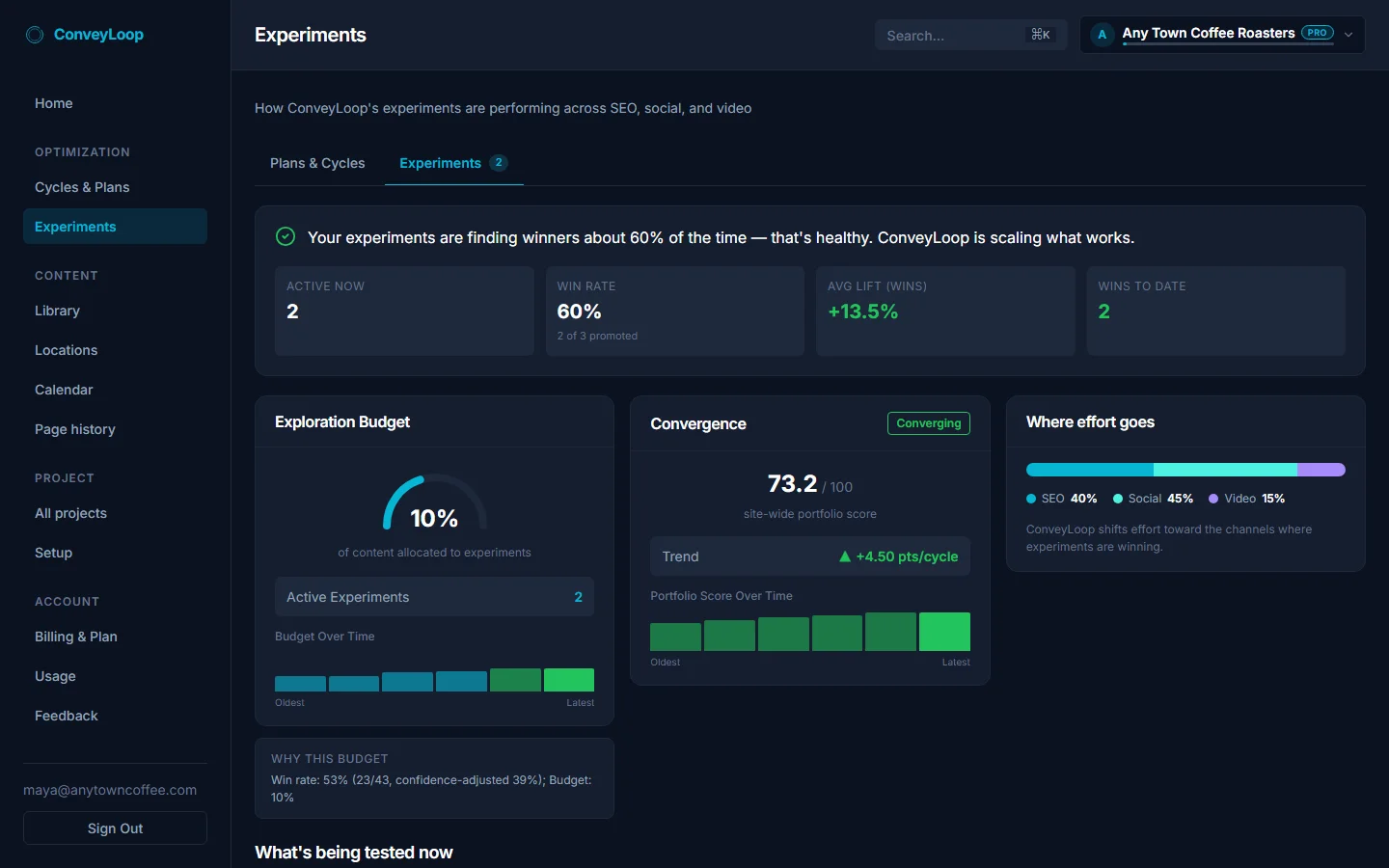
ConveyLoop doesn’t test in a black box. The Experiments page shows your win rate, how much winning changes improved things, how sure each result is, an overall trend for your site, and how much of your new content is set aside for trying new ideas, with the reason.
- Win rate, average lift on winners, and wins to date at a glance
- An overall site score and trend: Exploring, Converging, Converged or Regressing
- The testing budget, with a plain “Why this budget” explanation
- Where testing effort is going, by channel
- What’s being tested now, and recent decisions: kept, stopped or inconclusive
You always know what is being tested, what’s winning, and why.
Example data from a demo account.
Content that builds on what worked
When a test wins, ConveyLoop looks at what the winning version had in common with other winners: the hook, the structure, the call to action, the visual approach, the tone, the angle. Patterns that keep winning are used in future content; patterns that stop working are phased out. Each pattern moves through five stages: emerging, validated, graduated, stale and retired.
- AI finds what winning content had in common
- Patterns that stop winning fade out over time
- New briefs built from proven patterns
- Patterns applied across pages, social and video
- Each pattern tied back to the results it came from
Over time, new content starts from what actually worked for you.
See which content leads to sales
Connect Stripe, Shopify or WooCommerce and ConveyLoop credits each sale to the pages, posts and videos that led to it, using the visit’s landing page, the site that referred it and its UTM tags. GA4 e-commerce revenue is used instead when no store is connected.
- Two ways to credit a sale: the last touch, or shared across touches (40% first, 40% last, 20% in between)
- Sales from Stripe, Shopify or WooCommerce, or GA4 e-commerce
- Credit for pages, posts and videos
- Revenue counted in the weekly scores
Small teams can finally see the line from content to sales.
AI content that stays accurate and on-brand
ConveyLoop reads your website every week to record what you sell, your prices, what you can do, what sets you apart and any compliance claims. Every page and post is checked against those facts before it goes out. Anything that can’t be confirmed waits in a review queue.
- Facts taken from your own website, refreshed weekly
- Two checks: fixed rules first, then an AI review for contradictions
- A failed draft is rewritten with the problem pointed out, up to two times
- A review queue for anything that still can’t be confirmed
- Rules for phrases to avoid, claims to include and competitors not to mention
However much it writes, your content rests on your actual business facts.
Run marketing for every site you own
Manage several projects from one account, each with its own site, plan and weekly review. Switch projects from the header and every dashboard page follows, and see each one’s plan, setup status and usage at a glance.
- A separate plan, site and weekly review for each project
- Setup status that names what’s missing when setup isn’t finished
- Usage for each project, so you always know where you stand
- A project switcher that scopes every page to the active project
Agencies and multi-brand teams keep every site’s marketing running side by side.
Connects to the tools you already use
Connect your CMS or Git provider, your social accounts, and optionally your analytics and store. Publish content, bring in results and schedule posts from one dashboard. Connection details are stored encrypted and refreshed automatically.
- Publishing: WordPress, or Git (GitHub, GitLab, Bitbucket) with your host’s deploys
- Social: your accounts on 9 networks, connected through Post For Me
- Optional Google connections: Search Console for search data, GA4 to bring in e-commerce revenue
- Secure OAuth where the platform offers it, with encrypted storage
- Connect, disconnect and refresh each project’s connections
No more copying data between platforms.
A Monday email, so you don’t have to log in
Every Monday morning you get an email with last week’s visits to your pages, how much of your monthly allowance is used, and any Google Business Profile posts waiting for you. Connect Search Console to add impressions and clicks from search.
- Weekly email with visits measured by ConveyLoop, plus Search Console impressions and clicks when connected
- Your monthly allowance at a glance: pages and posts used against your plan
- A content calendar of scheduled posts, pages and runs
Solo founders see how the week went without opening a dashboard.
Start with one site
Every feature included on every plan. Choose the volume that fits, upgrade anytime.
Posts for 9 social networks, written and scheduled for you
Connect your social accounts and ConveyLoop writes posts for X, LinkedIn, Facebook, Instagram, TikTok, YouTube, Threads, Bluesky and Pinterest, each fitted to that network’s length and style, and schedules them at good times in your time zone. Posting runs through Post For Me, the social publishing service ConveyLoop uses: when you connect an account, you approve Post For Me on that network’s own page. You don’t need a Post For Me account of your own.
Small teams and agencies run social for each site from one place, instead of a separate posting tool.
Example data from a demo account.